Table of Contents
The New Voice XML phone application requires access to:
IMPORTANT: The "Cisco AXL Web Service" must be active on the Cisco UCM!
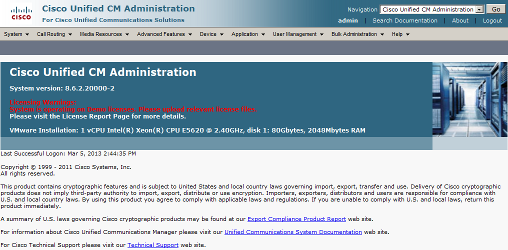
Log-in to "Cisco Unified CM Administration".
Creating the application user (with login and password) ensures that the Cisco environment is able to identify the user and grant access. Assigning the user to the individual Cisco IP phones allows the New Voice XML phone application to directly control the phones and e.g. show alarm messages on the display.
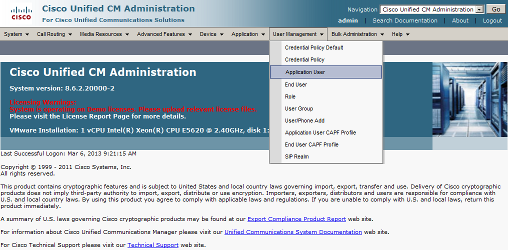
Select "Application User" from the drop down menu.
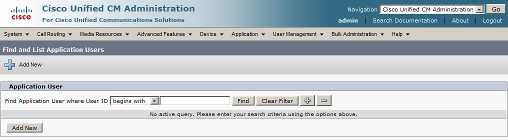
Click on "Add New".
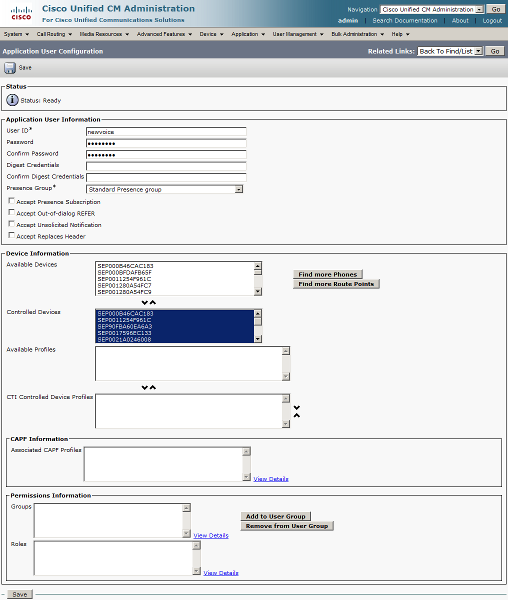
Complete the form and enter the following information:
Next, assign all Cisco IP phones that are to be controlled by the New Voice XML phone application to the list of "Controlled Devices".
Complete the user configuration by clicking on "Save".
At this stage, the previously created application user is not allowed to access phone number and IP address information on the Cisco UCM. This may be changed by creating a user group with all the required roles (i.e. permissions) and assigning it to the application user.
REMARK: As of UCM 9, the name of the "User Group" is changed into "Access Control Group" and is found in the submenu "User Settings".
Select the "User Group" from the drop down menu.
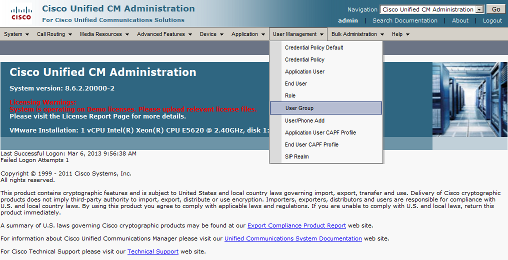
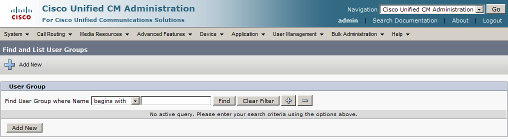
Click on "Add New".
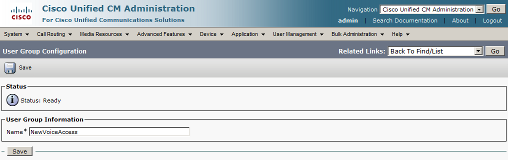
Enter the new group name NewVoiceAccess and click on "Save".
From the drop-down menu "Related link" select "Assign Role to User Group" and click on "Go".
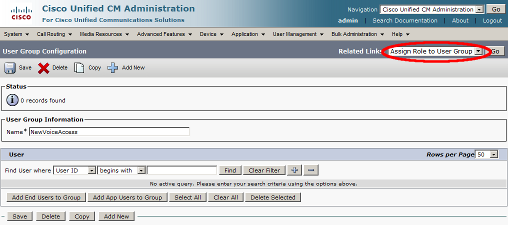
There are currently no roles assigned. Continue by clicking on "Assign Role to Group".
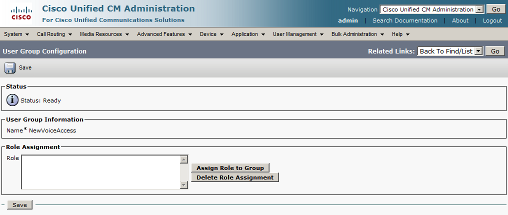
The list of roles appears. If this is not the case, click on "Find" to display the list.
Activate the following roles in the list:
Click on "Add Selected".
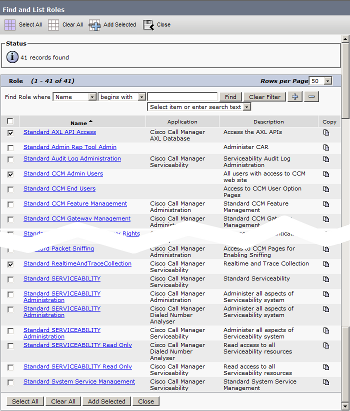
Click "Save" to ensure the assigned roles are stored. Select "User Group" from the drop-down menu "Related Link" and click on "Go".
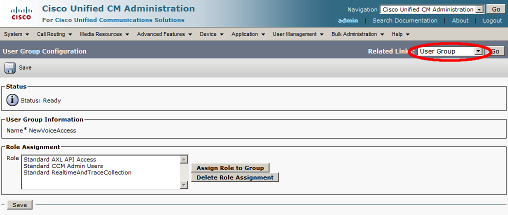
Click on "Add App Users to Group".
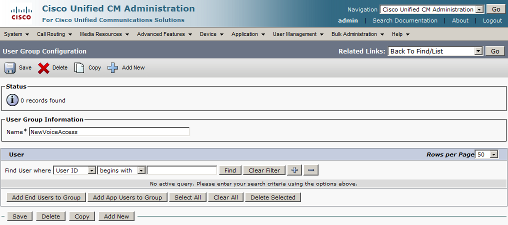
Enter "newvoice", the ID of the previously created application use, and click on "Find". In the shown list, activate the found entry and click on "Add Selected".
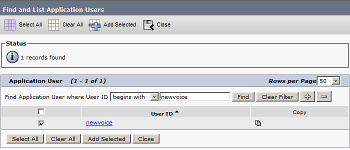
Click on "Save" to store all changes to the user group.
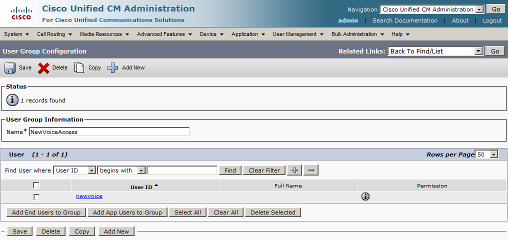
The application user is now allowed to access the Cisco UCM and to retrieve all required information.
Select "Phone Services" from the drop down menu.
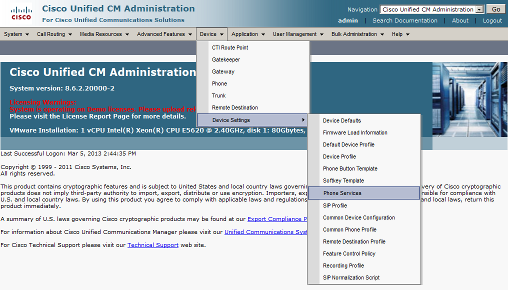
click on "Add new".
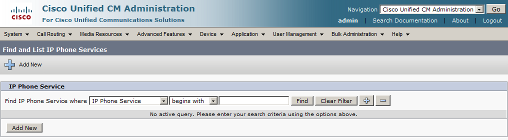
Complete the form and enter the following information:
Make sure to enable the service and activate "Enterprise Subscription" if the service is to be available on all (company-wide) IP phones. If the service should only be available on some distinct phones, disable "Enterprise Subscription" and assign the service individually to the corresponding IP phones.
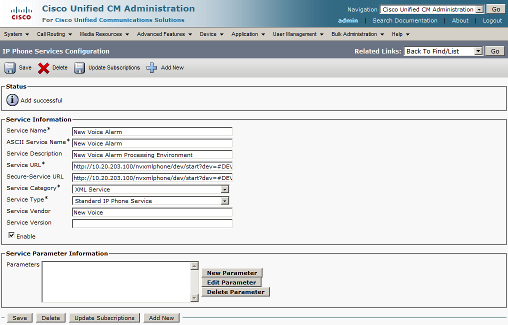
Click on "Save".
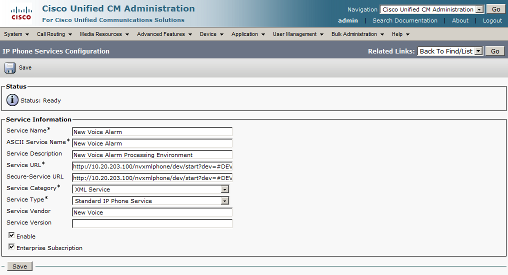
In case company-wide service availability is activated, make sure to click on "Update Subscriptions". It may also be necessary to reset and/or restart the IP phones to make the "New Voice Alarm" service appear on the telephone screen.
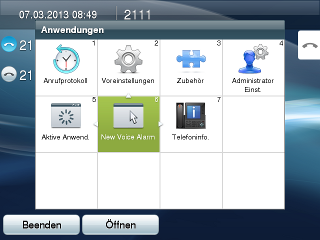
On a 9971 model, the alarm service will look as follows:
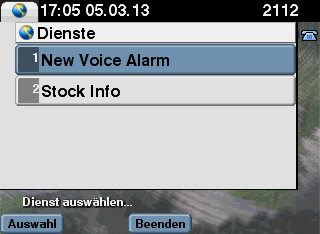
On a 7970 model, the alarm service will look as follows:
Whenever the New Voice web is installed or the XML phone application has been updated, a (re-)initialisation must be carried by entering the following commands in the command line:
> cd /D d:\nv_web\nvapps\nvxmlphone
> app\console nvxmlphone:init
This operation will (re-)initialise the XML phone database and generate/update the file nvwxmlphone.ini .
The configuration of the XML phone application is stored in the file nvwxmlphone.ini. To open the file, enter the following command in the command line:
> npi nvwxmlphone
Ensure that in the section "Cisco" the settings "CiscoUser" and "CiscoPassword" match with the previously created application user (on the Cisco UCM). Ensure also that the "CiscoUcmAddress" and the "MobiCallAddress" are correctly set.
IMPORTANT: Do NOT set the "CiscoUcmAddress" on MobiCall systems that are not connected to a Cisco environment.Leave empty or maintain the the default value.
The registration of Cisco IP phones is usually done periodically (every hour) by the XML phone application. It may nevertheless become useful to do this manually, especially if there is no time to wait for the automatic update (e.g. during first time installation or Cisco environment changes).
Enter following commands in the command line:
> cd /D d:\nv_web\nvapps\nvxmlphone
> app\console nvxmlphone:cisco:register
This alarm type is currently not supported
| Version | Supported |
|---|---|
| 6.x and older | no |
| 7.x | unsure (registration should work, alarm processing untested) |
| 8.x | yes |
| 9.x | yes |
IMPORTANT: All phone models in the table below where "no" is indicated in the column "PNG-File" will only support alarms in plain text!
| Phone Model | Normal (W x H) | Wide (W x H) | Type | PNG-File |
|---|---|---|---|---|
| 7905G | N/A | N/A | Gray (1bit) | no |
| 7906G | N/A | N/A | Gray (1bit) | no |
| 7911G | N/A | N/A | Gray (1bit) | no |
| 7912G | N/A | N/A | Gray (1bit) | no |
| 7931G | N/A | N/A | Gray (1bit) | no |
| 7920 | 128 x 59 | N/A | Gray (1bit) | no |
| 7921G | 176 x 140 | N/A | Color (16bit) | yes |
| 7925G | 176 x 140 | N/A | Color (16bit) | yes |
| 7925G-EX | 176 x 140 | N/A | Color (16bit) | yes |
| 7926G | 176 x 140 | N/A | Color (16bit) | yes |
| 7940G | 176 x 140 | N/A | Color (16bit) | yes |
| 7960G | 176 x 140 | N/A | Color (16bit) | yes |
| 7937G | 255 x 128 | N/A | Gray (2bit) | no |
| 7941G | 298 x 144 | 320 x 144 | Gray (4bit) | yes |
| 7941G-GE | 298 x 144 | 320 x 144 | Gray (4bit) | yes |
| 7942G | 298 x 144 | 320 x 144 | Gray (4bit) | yes |
| 7961G | 298 x 144 | 320 x 144 | Gray (4bit) | yes |
| 7961G-GE | 298 x 144 | 320 x 144 | Gray (4bit) | yes |
| 7962G | 298 x 144 | 320 x 144 | Gray (4bit) | yes |
| 7945G | 298 x 156 | 320 x 156 | Color (16bit) | yes |
| 7965G | 298 x 156 | 320 x 156 | Color (16bit) | yes |
| 7970G | 298 x 168 | 320 x 168 | Color (12bit) | yes |
| 7971G-GE | 298 x 168 | 320 x 168 | Color (12bit) | yes |
| 7975G | 298 x 168 | 320 x 168 | Color (16bit) | yes |
| Communicator | 298 x 168 | N/A | Color (24bit) | yes |
| 6921 | 396 x 81 | N/A | Monochrome | no |
| 6961 | 396 x 81 | N/A | Monochrome | no |
| 6941 | 396 x 162 | N/A | Monochrome | no |
| 6945 | 396 x 162 | N/A | Monochrome | no |
| 9971 | 498 x 289 | N/A | Color (24bit) | yes |
| 9951 | 498 x 289 | N/A | Color (24bit) | yes |
| 8941 | 498 x 289 | N/A | Color (24bit) | yes |
| 8945 | 498 x 289 | N/A | Color (24bit) | yes |
| 8961 | 498 x 289 | N/A | Color (24bit) | yes |